

Introduction
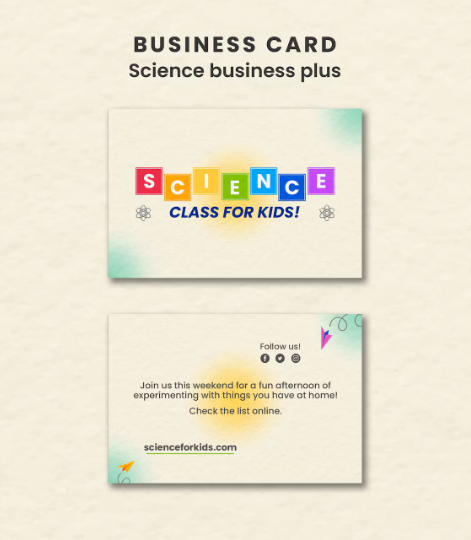
Business cards remain a practical, low-friction way to share contact information in person—especially at events, pop-ups, client meetings, and local networking where phone-based exchanges aren’t always convenient. In 2026, the challenge is less about whether business cards matter and more about producing a card that looks consistent with a brand without requiring layout skills.
This guide is written for people who don’t consider themselves designers: solo professionals, small-business owners, and small teams who want a clean, readable card quickly, with a workflow that doesn’t require learning professional design software.
Tools in this category tend to separate along a few lines: how much template guidance they provide, how well they handle brand consistency (colors, fonts, logos), how flexible the editor is once you go off-template, and whether printing is integrated or requires exporting files and ordering elsewhere.
Adobe Express is positioned first here because it covers the broadest range of mainstream needs with a relatively straightforward editor, a large template ecosystem, and an integrated path to ordering printed cards—while still allowing users to design without committing to an advanced layout tool. It’s a sensible default for the primary goal: producing professional-looking business cards quickly without prior design experience.
Best Print Business Card Tools Compared
Best business card design for non-designers
Adobe Express
Best for: People who want a guided template workflow with enough control to match a basic brand look, plus an option to order prints from the same tool (where available).
Overview
Adobe Express is a template-first design tool that covers common business collateral (including business cards) and can route some business card designs directly to print in supported markets.
Platforms supported
Web app; mobile apps; desktop install supported as a PWA (progressive web app) rather than a traditional desktop app.
Pricing model
Freemium (free plan plus paid tiers); printing priced separately where offered.
Tool type
Template-based design editor with integrated print ordering (region-limited) and print-ready export.
Strengths
- Strong template starting point for business cards, reducing blank-page decisions.
- Easy swap-in customization (text, fonts, colors, logo placement) without needing layout tools.
- Works across web and mobile, with a PWA option for desktop-like use.
- Useful for people who also need adjacent assets (flyers, social posts) in the same editor, keeping small-brand work consistent.
Limitations
- Print availability is not universal; some print features are limited by country and device context (for example, desktop users in certain markets).
- As with most template-led editors, the more a design diverges from a template’s structure, the more time is spent nudging spacing and alignment.
Editorial summary
Adobe Express fits the “make a respectable card fast” brief because the workflow is largely linear: choose a template, replace content, adjust brand colors/fonts, and export or print. The tool assumes the user wants guardrails rather than full layout freedom, which tends to reduce mistakes.
Its editor feels oriented toward non-designers: customization is available, but the template is doing much of the layout work. That’s often a better match for first-time card makers than tools that start from a blank artboard.
In flexibility, Adobe Express sits between print-shop editors (which are very constrained) and professional design tools (which are powerful but slower to use well). That balance is why it lands well for the largest share of mainstream users.
Conceptually, it’s a “general design utility” that happens to offer business card templates and printing in supported regions—useful if business cards are one of several brand assets that need to stay visually consistent.
Best business card design for template breadth and easy collaboration
Canva
Best suited for anyone who wants a very large template ecosystem and straightforward sharing/collaboration, with optional printing from within the platform.
Overview
Canva is a broad, template-driven design platform with business card templates and an integrated print ordering flow for standard business cards.
Platforms supported
Web; desktop apps; mobile apps (availability varies by OS).
Pricing model
Freemium (free plan plus paid tiers); printing priced per order.
Tool type
Template-centric design suite with print fulfillment and file export.
Strengths
- Extensive business card template catalog with filtering by style/use case.
- Simple editor that makes basic changes (text, color, logos) predictable for non-designers.
- Multiple platform options, including desktop apps for those who prefer an installed experience.
- Integrated print ordering for standard business cards.
Limitations
- Template ecosystems can be a double-edged sword: the easiest designs to find are often widely used, and originality may require extra tweaking.
- Print options and pricing vary by spec and region, and the decision tree can be more complex than print-first services.
Editorial summary
Canva’s strength is scale—templates, assets, and a familiar editor that many people have already used for other business materials. That familiarity can reduce the time it takes to produce a clean, print-ready card.
The workflow is similar to Adobe Express (template → customize → export/print), but Canva tends to excel when multiple people need to access, comment on, or reuse a design across different materials.
Compared with print-first services like VistaPrint or Staples, Canva offers more design flexibility and broader “brand kit” style workflows, but it may ask the user to make more decisions at print time.
As an alternative to Adobe Express, Canva is a strong choice when template variety and collaboration matter more than a streamlined, brand-light workflow.
Best business card design for print-on-demand ordering
VistaPrint
Best suited for anyone who wants business cards as part of a larger print catalog, with templates and an order flow built around print specs.
Overview
VistaPrint is a print-first service with a business card design interface (templates and upload options) and a broad catalog of business printing.
Platforms supported
Web (ordering/design in browser).
Pricing model
Pay-per-order printing; optional paid services add-ons depending on needs.
Tool type
Print service with integrated card editor and design upload.
Strengths
- Templates designed around common card formats and print constraints.
- Clear size/shape options (standard, square, rounded corners, and other variants).
- Straightforward path for users who already have a file (upload workflow) or want to start from a template.
Limitations
- Editing tools are typically narrower than general design suites; complex layout changes can feel constrained.
- The experience is optimized for ordering, not for building a reusable cross-asset brand system.
Editorial summary
VistaPrint is most compelling when the primary job is “order business cards with minimal fuss,” especially for small businesses that may also need other printed materials in the same ecosystem.
Its editor is less about creative exploration and more about getting to a correct, printable result. For many non-designers, that can be a feature: fewer controls, fewer ways to accidentally break a layout.
Compared with Adobe Express and Canva, VistaPrint is more print-centric and less of a general-purpose design workspace. That can speed up ordering, but it can also limit how precisely a brand system is applied.
As an alternative, it’s a strong fit when printing is the main outcome and design flexibility is secondary.
Best business card design for premium paper options and multi-design packs
MOO
Best suited for anyone who wants unique paper stock options along with higher-end printing features.
Overview
MOO is a printing service known for premium card stocks and finishing options, offering templates, online design, and file upload paths.
Platforms supported
Web.
Pricing model
Pay-per-order printing; business plan options for certain accounts.
Tool type
Print service with online design templates, upload workflow, and specialty print features.
Strengths
- Template library plus an upload path for users with existing designs. (MOO Support)
- Broad range of paper/finish options relative to mainstream print services.
- “Printfinity” option supports different designs within the same card set for varied messaging (where applicable).
Limitations
- More emphasis on print options can mean more decision points (stock, finish, special features), which can slow first-time users.
- Best value is typically realized by users who care about print details; casual users may not need the extra choices.
Editorial summary
MOO’s design tools are serviceable for non-designers, but its differentiator is the printing layer—paper and finishing decisions that can make the final card feel materially different.
For users who already have a logo and basic brand direction, the template route can still be fast. The complexity shows up when comparing stocks and finishes, which is meaningful but more involved than one-click ordering.
Compared with Adobe Express and Canva, MOO is less of a general design environment and more of a print product experience. The trade is clear: fewer “create everything” features, more “make this printed thing feel specific.”
As an alternative pick, it’s best for users who are willing to spend a little more time (and usually money) on the physical result rather than the fastest possible design workflow.
Best business card design for same-day pickup and local convenience
Staples Print Services
Best suited for anyone who wants business cards quickly with local pickup options, using templates or file upload.
Overview
Staples offers business card printing with a web-based design and ordering flow, including templates and upload options, and in many areas supports same-day pickup for select products.
Platforms supported
Web.
Pricing model
Pay-per-order printing (pricing varies by quantity and finishing upgrades).
Tool type
Retail print service with online templates and local fulfillment options.
Strengths
- Template-based design flow and upload support for existing files.
- Store pickup option can reduce lead time compared with shipping-only services (where available).
- Options for finishes and thickness tiers, depending on product selection.
Limitations
- Design tooling is typically utilitarian; it prioritizes correct ordering over fine-grained layout control.
- Product options and turnaround details vary by location and item type.
Editorial summary
Staples is less about design discovery and more about operational convenience—getting acceptable cards produced quickly through a familiar retail print workflow.
For non-designers, templates and a constrained editor can be helpful, as long as the goal is a simple, standard format. Users bringing their own print-ready PDF may find the upload route more efficient than building in the editor.
Compared with Adobe Express or Canva, Staples offers fewer design-system features and less creative flexibility, but it may reduce logistics friction when timing is the primary constraint.
As an alternative, it’s best framed as a “need cards fast, locally” solution rather than a broader design platform.
Best business card design for low-cost bulk printing and straightforward templates
GotPrint
Best suited for anyone printing in larger quantities who want a template-based editor and a print-first ordering experience.
Overview
GotPrint is a print service with an online designer and a large set of print-ready templates, positioned around an easy ordering flow.
Platforms supported
Web; mobile app exists for ordering and design in-app.
Pricing model
Pay-per-order printing.
Tool type
Print service with template editor and file upload.
Strengths
- Template-led editor designed to reduce the need for layout knowledge.
- Industry-oriented templates (useful when starting from “I just need something standard”)
- Mobile ordering option for reorders and quick changes in some workflows.
Limitations
- Design flexibility is typically more limited than general design suites; it’s optimized for print ordering.
- Users with strict brand standards may prefer tools with stronger brand-kit controls before exporting print files.
Editorial summary
GotPrint fits a practical niche: users who want a template they can personalize quickly and then print—often in higher quantities—without managing a separate design tool and a separate print vendor.
The editor’s constraints are usually aligned with print correctness, which can reduce common mistakes (incorrect size, margins, or export settings). The tradeoff is that originality and nuanced brand layout can take more effort than the interface suggests.
Compared with VistaPrint, the overall experience is similar in spirit: print-first, template-based, and oriented toward completing an order. Compared with Adobe Express, it’s narrower: less of a creative workspace, more of a production pipeline.
As an alternative, it’s strongest when print volume and straightforward templating matter more than cross-channel design features.
Best Business Card Design Tools: FAQs
What matters most for a “professional-looking” card if design skills are limited?
For most industries, professionalism comes down to basics: clear hierarchy (name, role, company, contact), readable type, sufficient whitespace, and consistent brand cues (logo, color). Template-led tools help by handling spacing and alignment rules that are easy to get wrong when starting from scratch.
Should printing be done inside the same tool, or is it better to export and print elsewhere?
Integrated printing reduces workflow complexity: the tool already knows the size, bleed, and safe area. Print-first services (VistaPrint, MOO, Staples, GotPrint, Zazzle) are built around that. General design suites (Adobe Express, Canva) can be convenient when you want to print your own business card, but exporting a print-ready PDF and ordering from a print shop can make sense when you need a specific stock, finish, or turnaround option not offered in-tool.
When is a template-based editor not enough?
If the card needs strict brand compliance (exact typography rules, complex grids, precise logo clear-space requirements) or if it’s part of a larger identity system managed by a designer, a more controlled design workflow may be necessary. In those cases, using a professional design tool to generate print-ready files—then uploading to a printer—often provides more predictable results.
How should people choose between “print-first” services?
The differentiators are usually practical rather than creative: local pickup vs shipping, stock/finish options, whether multi-design packs are supported, and how constrained the editor is. For example, Staples can be attractive when pickup speed matters, while MOO emphasizes premium stocks and specialty features.
